When to use
Sampling methods
Kubit samples either by events or by subjects.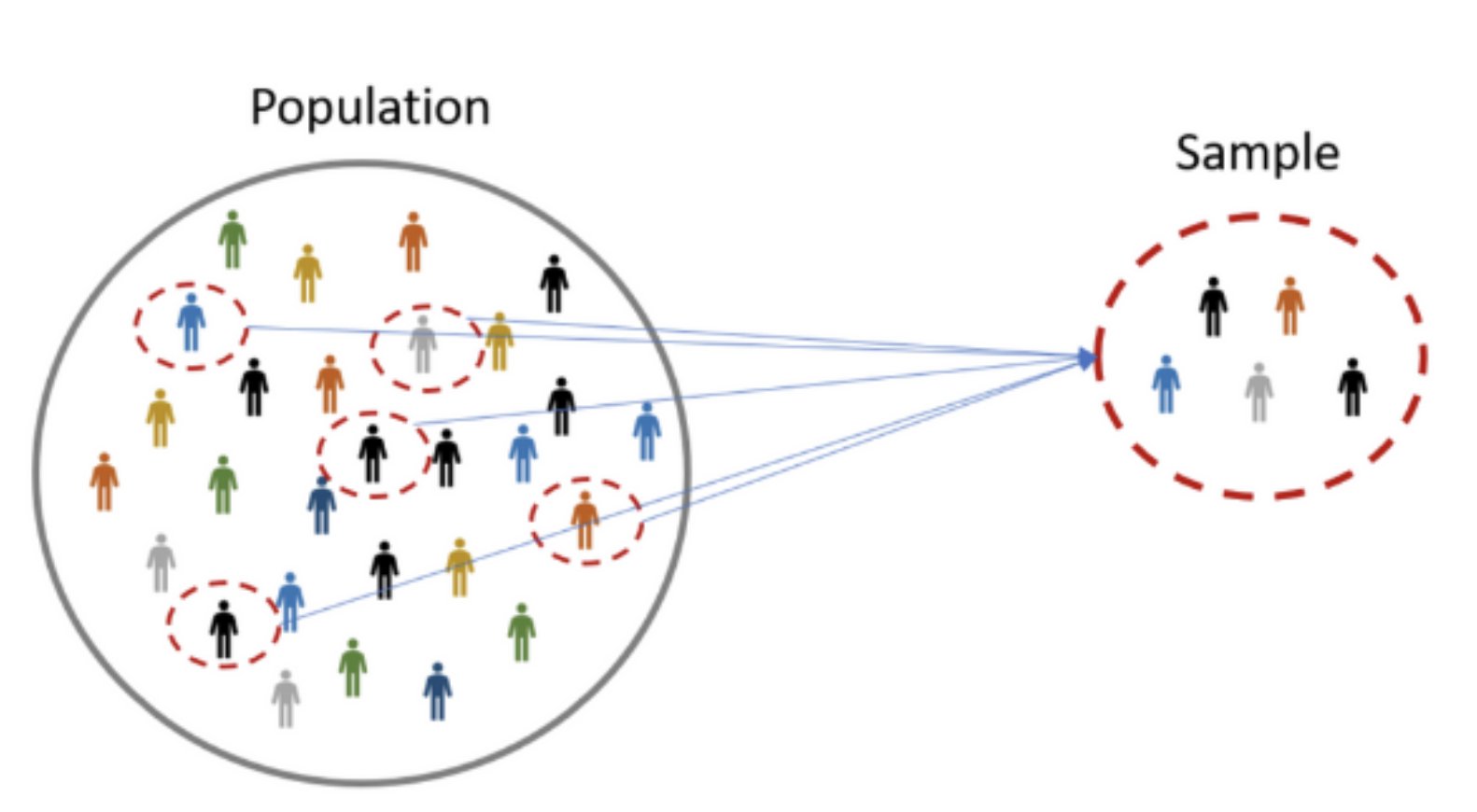
Sample by events
Event sampling takes a random sample of events, regardless of the user, session or device that performed them. Use it when you want to sample by the number of times an event happened. Availability: Event sampling is available only on Snowflake. Other cloud warehouses either don’t support it or would run it with severe performance penalties.Sample by subjects
Subject sampling takes a random sample of subjects (such as User ID or Session ID) and returns every event each sampled subject performed. Subjects are specific to your Kubit workspace. Because every sampled subject keeps all its events, results stay complete across the steps of a Funnel or Retention analysis. Availability: Subject sampling is available on every warehouse. Subject sampling is most often used in Funnel, Retention, Path and Cohort reports.Why sample
Most reports don’t need sampling. Sample when a query returns so many rows that it doesn’t finish within the 15-minute query timeout. If you query a very long period (years) or a very large number of events or users (100 million or more), sample so the report returns results. Sampling also helps when an approximate answer is enough, for example when a 20% sample is accurate enough for the question.Set the sampling rate
Every report has a sampling rate control at the bottom of the report builder, to the left of Execute. Pick a rate from the list, or type your own value.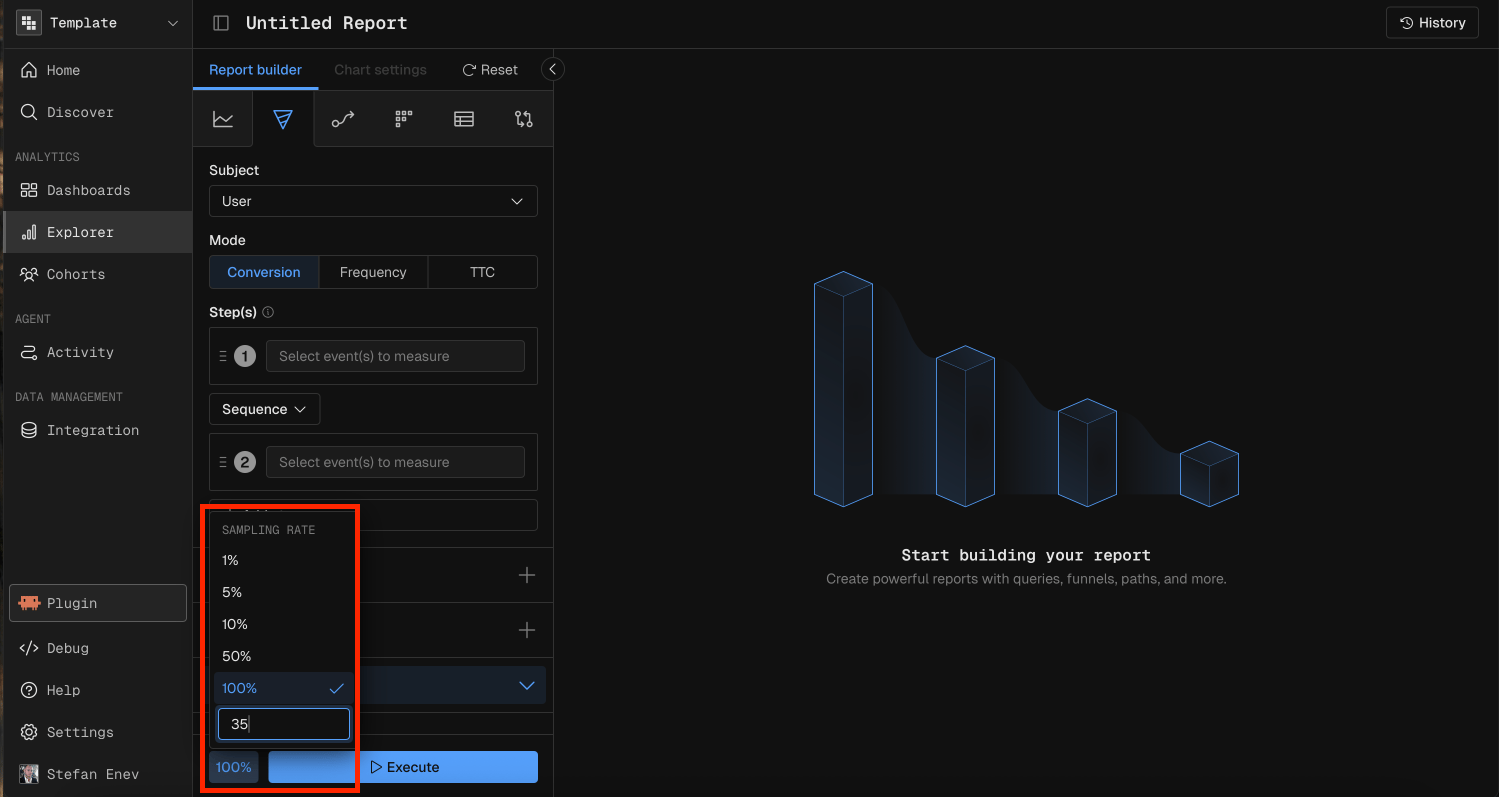
MCP prompt examples
“Show the signup funnel for the last 2 years at a 10% sampling rate”
Sampling in Query and Data Table
In Query and Data Table reports, every measure function uses event sampling. Results cover only the sampled percentage of all events. If events are evenly distributed, a sampled metric can be very close to the metric from the full data set. For example, at a 25% sampling rate:
Histogram and Impact Analysis in Query target a subject, so they use subject sampling instead. The sampled percentage of unique subjects (such as users) is selected from the event data.
Sampling in Funnel, Retention and Path
In Funnel, Retention and Path reports, the sampling rate applies to the subject you select. Kubit uses consistent hashing of the subject ID (such asuser_id), so the same users are analyzed in every step. The same applies to Query in Histogram or Impact mode.
Results cover only the sampled percentage of subjects. If events are evenly distributed, a sampled metric can be very close to the metric from the full data set.
For example, a Funnel on User ID at a 50% sampling rate:
The conversion rates stay the same, because Kubit samples users, not step events.
Sampling in Cohorts
Cohort features that need a subject (Group By cohort, cohort filters and the cohort builder) use consistent hashing of the subject ID, such asuser_id.
Group By cohort and cohort filter
When a report uses a cohort, you can set a sampling rate to reduce the number of subjects in it. This can cut query time significantly.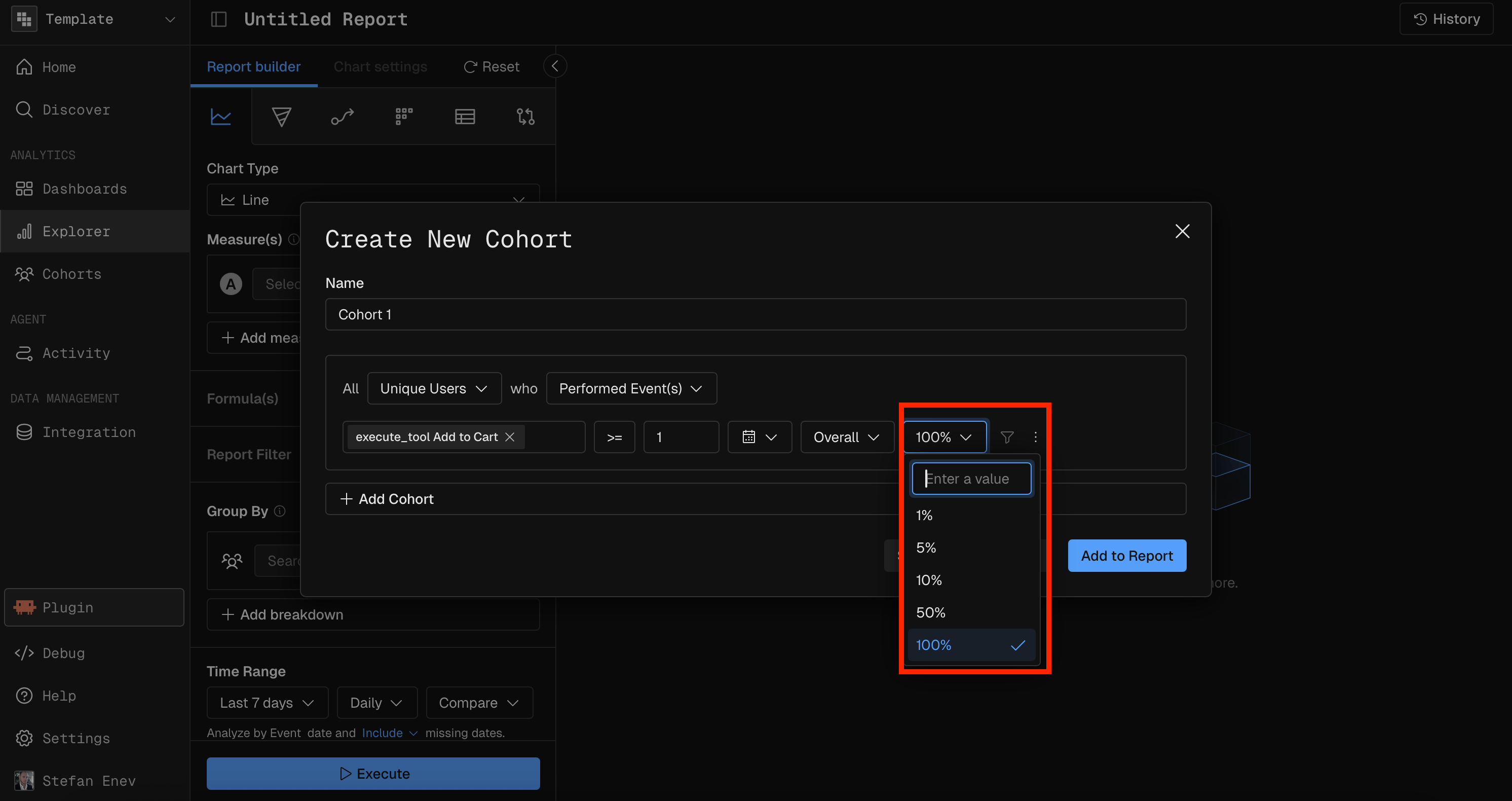
Inspect
When you inspect a cohort, you can set a sampling rate to reduce how much data comes back.