

KUBIT, then grant the role read-only access to the schemas Kubit should see. Nothing is copied out of your account. The setup takes about 20 minutes.
Before you start
- A Snowflake role that can create roles, users, databases and warehouses (
ACCOUNTADMIN, orSECURITYADMINplusSYSADMIN) -
opensslon your machine, to generate the key pair - The schemas that hold the tables or views Kubit should query
- If your Snowflake account has a network policy, Kubit’s IP ranges. See Allow Kubit’s IP ranges.
Steps
Generate a key pair
Kubit authenticates to Snowflake with key pair auth. Generate an encrypted private key and its public key. Snowflake’s key pair authentication guide covers the options.
openssl asks for a passphrase. Keep it, since Kubit needs it with the private key.Create a user
Create a user named
KUBIT with the public key from the previous step. Paste the contents of rsa_key.pub without the -----BEGIN PUBLIC KEY----- and -----END PUBLIC KEY----- lines.Create a database
Kubit keeps a small auxiliary table in its own database to support some features. Create a database named
KUBIT and make the KUBIT role its owner, so Kubit can create and run the tasks that need an owner role.Create a warehouse
Create a warehouse named
KUBIT and grant the KUBIT role MONITOR, USAGE and OPERATE on it. Start small. Warehouse configuration explains when to size up.Grant read access
Give the
KUBIT role read-only access to each schema that holds the views Kubit queries. The FUTURE grant covers views you add later. Replace <database> and <schema> with your own names.Add the connection in Kubit
Kubit needs four values: your Snowflake account locator, the private key (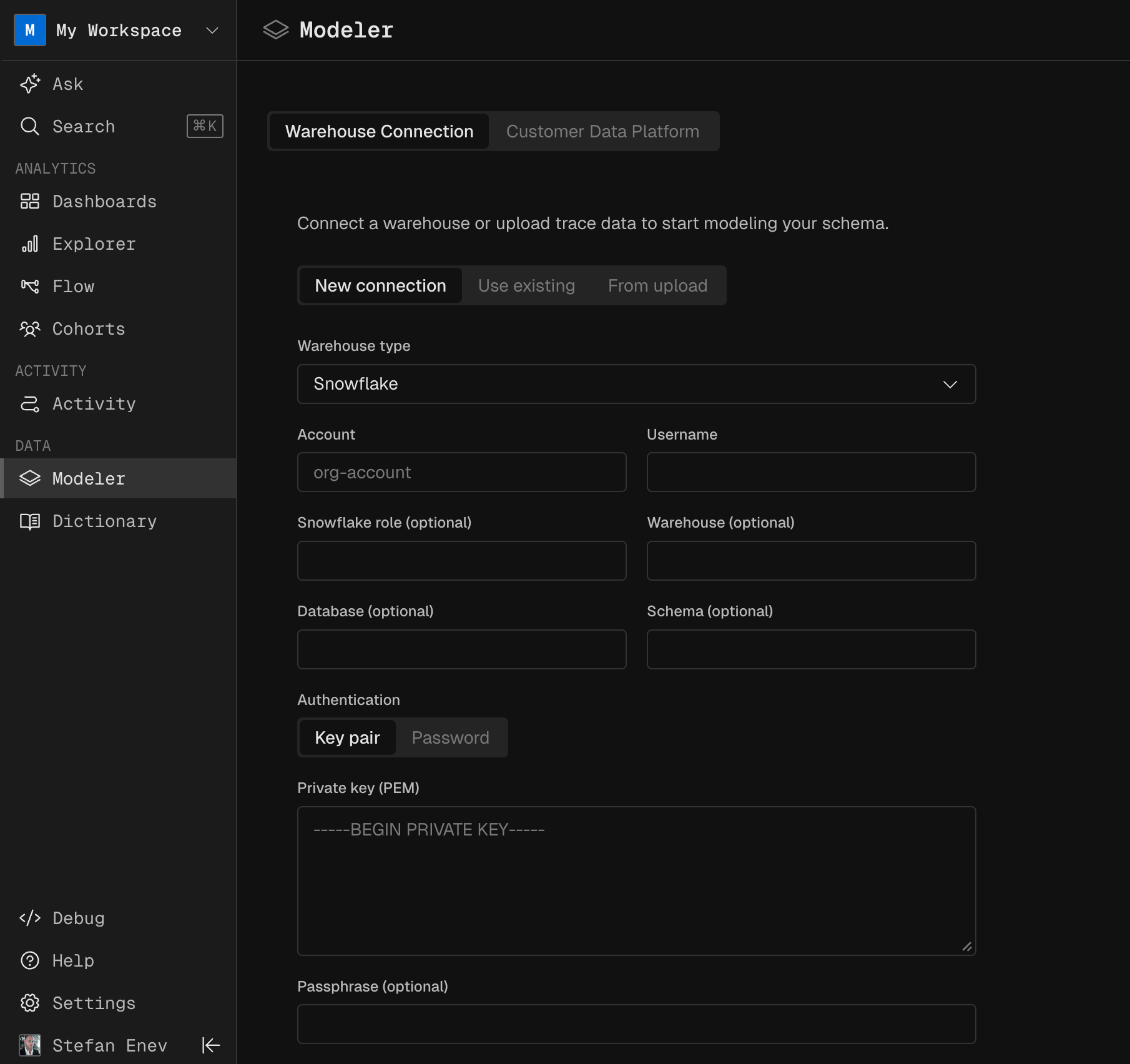
rsa_key.p8), the key passphrase and the warehouse name (KUBIT).Verify
Check the grants as an admin. The output listsUSAGE and SELECT on your schemas, and MONITOR, USAGE and OPERATE on warehouse KUBIT.
Best practices
Clustering keys
Kubit queries time series data, so cluster fact tables larger than 1 TB by date. Most Kubit reports also filter by event name, so add event name as the second clustering column. Snowflake’s clustering keys reference covers the syntax.Warehouse configuration
Four warehouse settings affect Kubit’s cost and speed.Next steps
- Bring your own warehouse: how Kubit queries your warehouse in place.
- Allow Kubit’s IP ranges: let Kubit through a network policy or firewall.