

Before you start
- A workspace with agent traces. See the Quickstart.
- A question you want answered for every conversation, written so the answer is yes or no, a choice from a list, or a score.
Steps
Open the Evaluator
Open Evaluator. Questions lists the system questions: Answer relevant, Task resolved, Right tools and Grounded in tool results.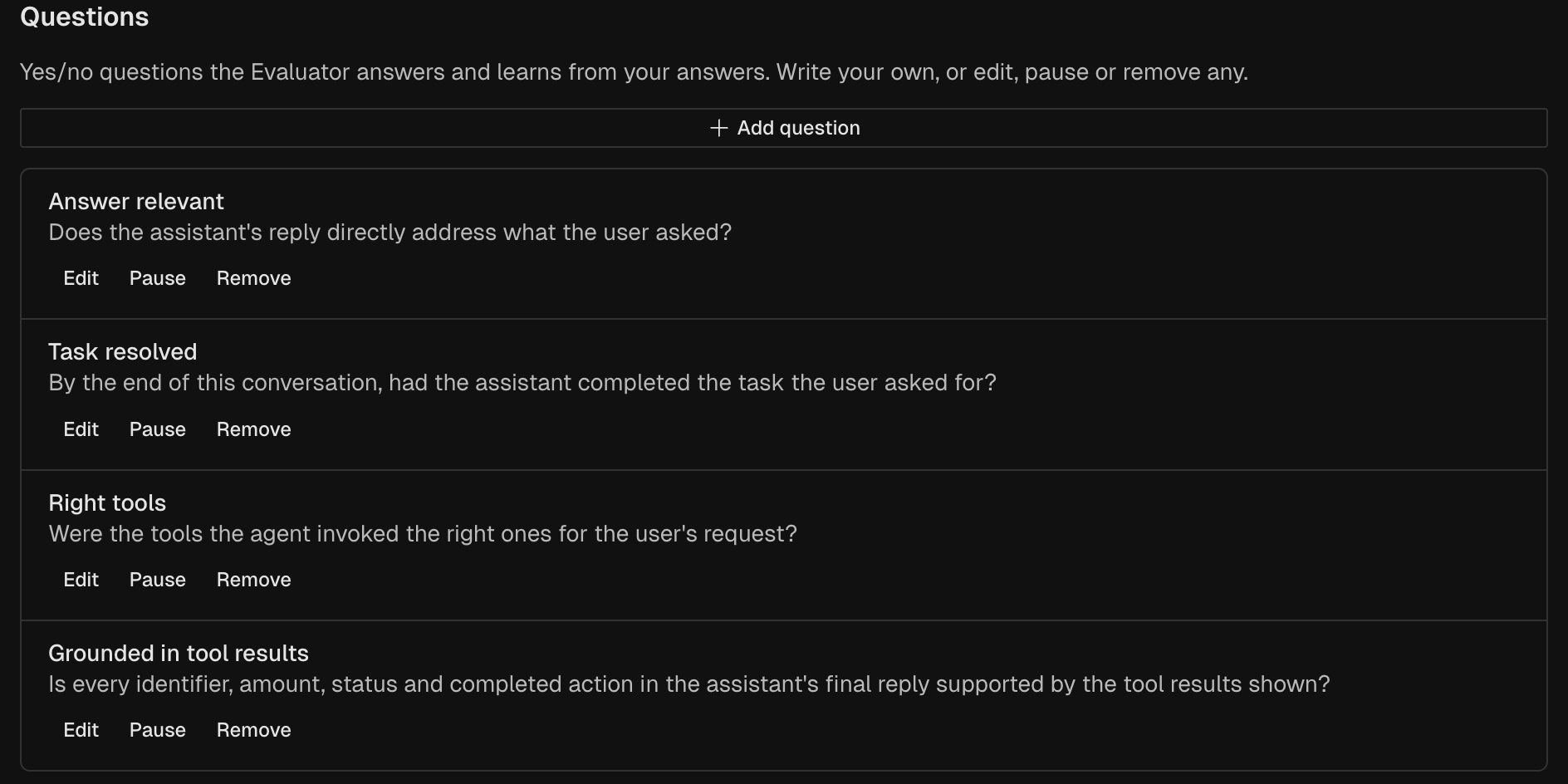
Add a custom question
Under Custom questions, click Add custom question. Pick a template under Start from a template, or write your own. Pick its Answer type: Yes / no, Choice or Score.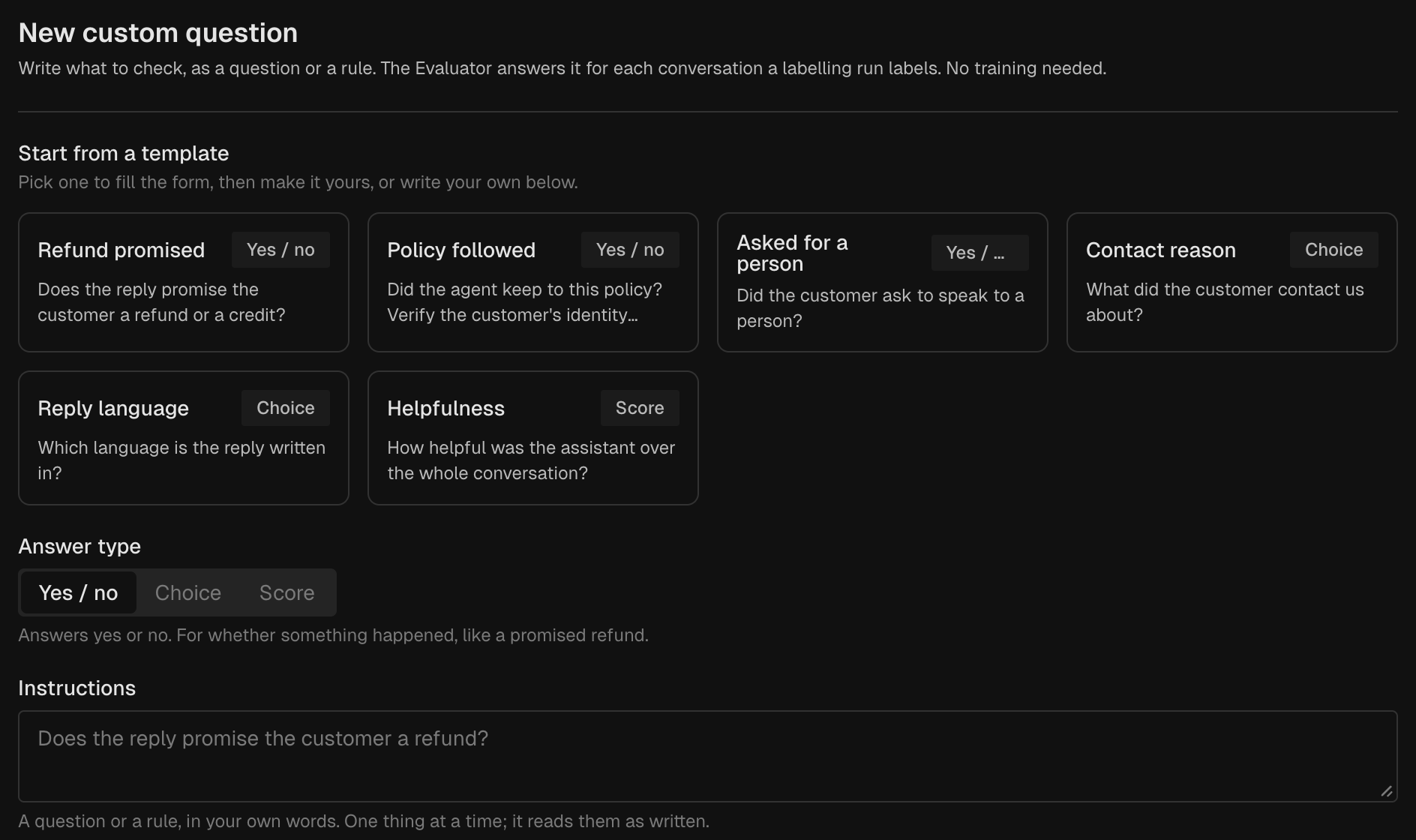
Click Add question. A workspace can have 10 custom questions turned on. An 11th is saved paused, and the button reads Add paused.
Read the answers
When the run ends, open Activity and click Refresh. The Labels column shows each trace’s labels. A Yes / no question adds a label named after its short name, such as 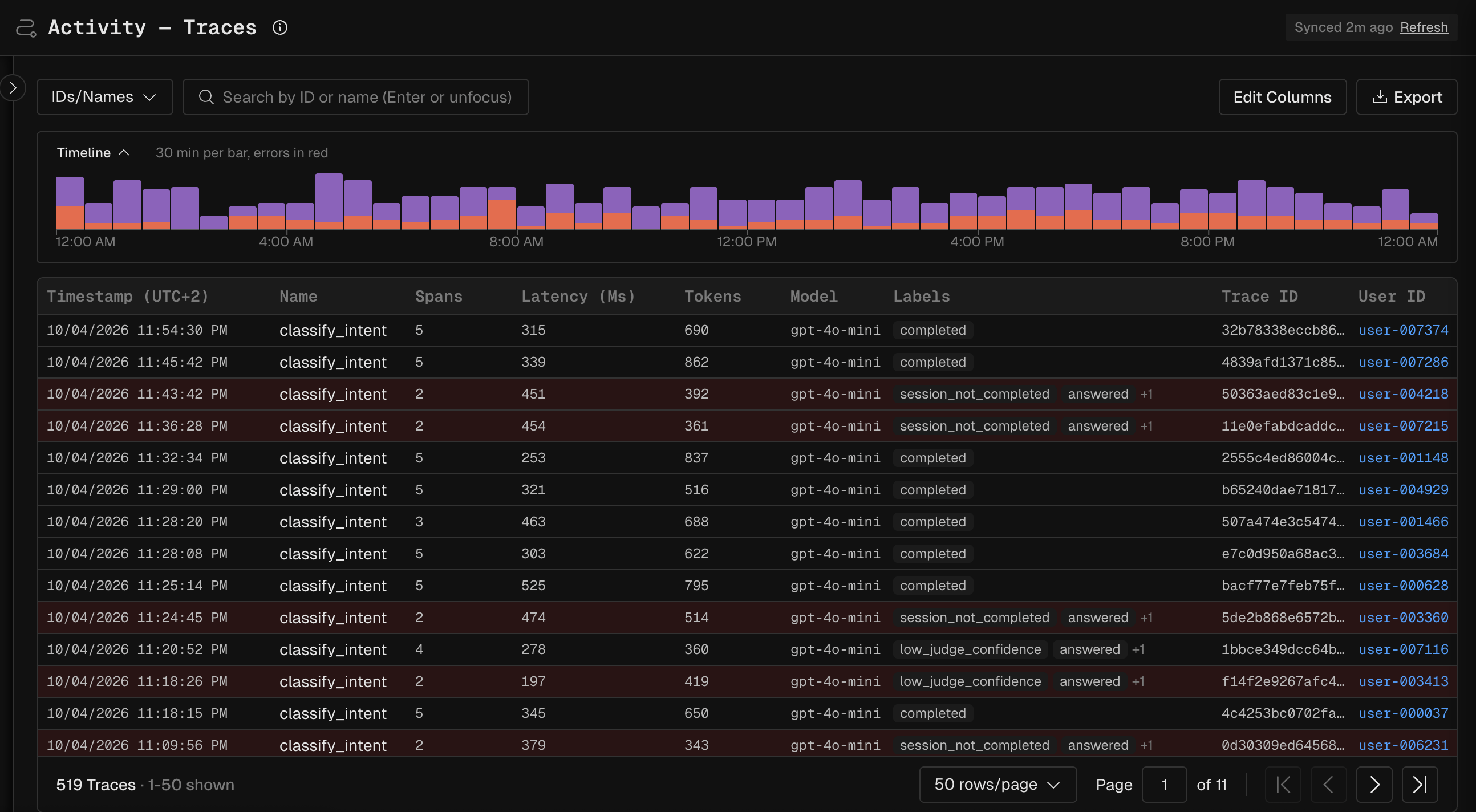
refund_promised. A Choice or Score question adds the short name plus the answer, such as contact_reason_billing.Not answered yet. New answers come every hour.Verify
Open Activity after the run and confirm that labeled traces carry an answer to your question.If it fails
Next Steps
- Polaris: the system questions and the constraints.
- Find Missteps that return OK: use labels to find silent failures.